One shortcut
Press Fn anywhere.
For Mac with Apple Silicon
The same dictation experience everywhere on your Mac.
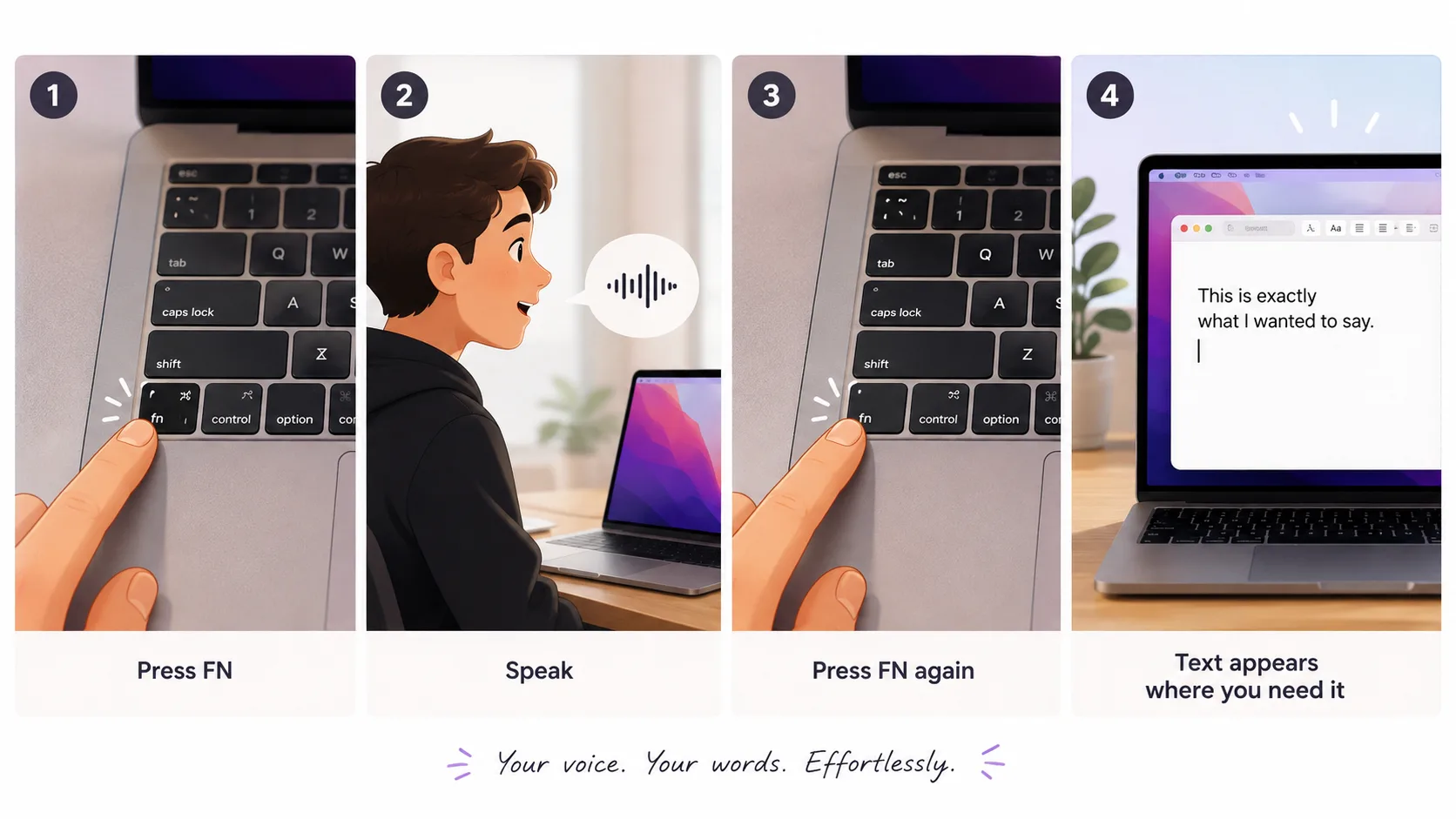
Press Fn. Speak. Keep working.
Turn your voice into text in any app — without extra windows, workflow changes, or cloud transcription.
One workflow
The same experience in every app.
One purchase
Pay once. Use forever.
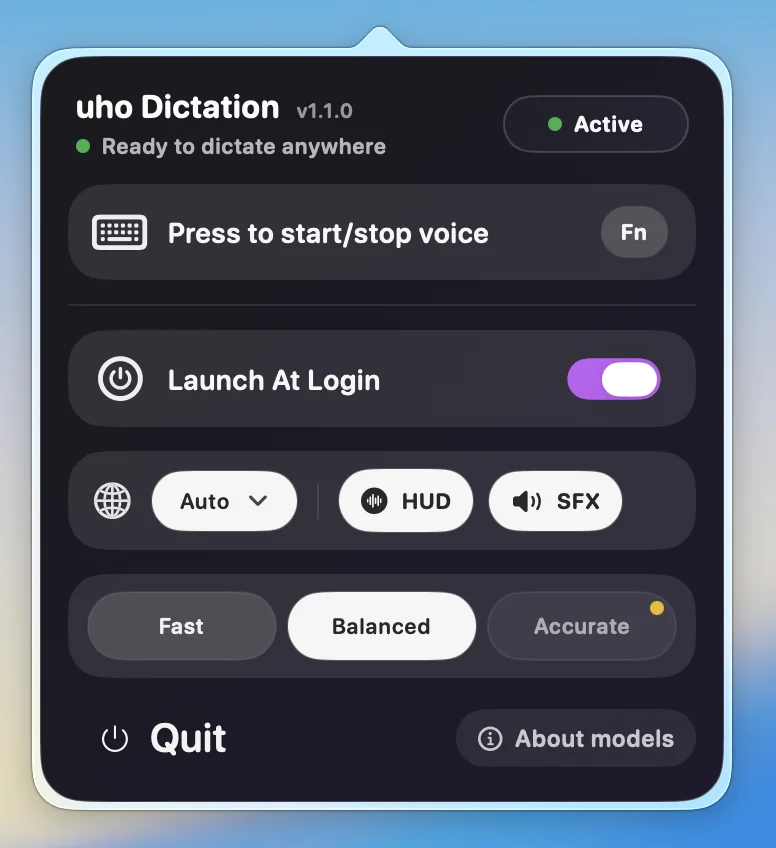
Built for modern Mac workflows
Talking to AI
Writing emails
Taking notes
Research
Coding
Daily Mac workflows
Dictation should feel like part of your Mac.
Press Fn, speak naturally, press Fn again — and your words appear exactly where you need them.
Faster workflow
Start and stop dictation instantly with one key.
Better everyday usability
No extra windows. No switching apps. No interrupted flow.
Designed for privacy
100% offline. Your voice stays on your Mac.
Built for Apple Silicon
Optimized for local Whisper performance.
Need help?
support@uhodictation.com
Contact support
Questions about purchase, activation, or whether uho Dictation fits your Mac workflow are welcome.
Frequently asked questions
Does uho Dictation work offline?
Yes. uho runs locally on your Mac using Whisper models. No cloud transcription and no audio uploads.
Can I try it before buying?
Yes. Start with the free 3-day trial and upgrade later if it fits.
Does it require a subscription?
No. It is a one-time purchase for a lifetime license.
How long does the license last?
It is sold as a lifetime license for this product line.
What Macs are supported?
The current release is made for Apple Silicon Macs.